
- Problem Statement
- Special Character Remover (version : 1.0.0)
- How does it work?
- What is it doing?
- Where is the plugin source code/JAR?
- How to Install it and OS/Kettle Specs (Pentaho 7 or lower)?
- How to Install the plugin (Pentaho 8 or higher)?
- How to build your own Pentaho plugin
Problem Statement
When handling data especially in a data warehousing environment, developers tends to face serious issues with the data quality issue. Though there are multiple data quality issues, dealing with the special characters in the data set is one of the most commonly occuring data issue.
My Naâ‚™me is ***&R%^is€Ã$hu
DWH Developers or any person working with data gets this sort of data from various data sources gets really frustrating. Sometime it gets really tough to figure out what sort of data is coming and what is the analysis we need to perform.
Pentaho Kettle does come up with various steps to handle data quality issues. Steps like Modified JavaScript, User Defined Java Class, String Cut, regex evaluation, etc can be used to clear out the data. Most of the time you need to manually write codes to resolve scenarios like the above. For people like me handling multiple projects, i find it really frustrating to write the same code over and over again. So whats better way than to create a plugin which can reduce my effort in writing code.
Special Character Remover (version : 1.0.0)

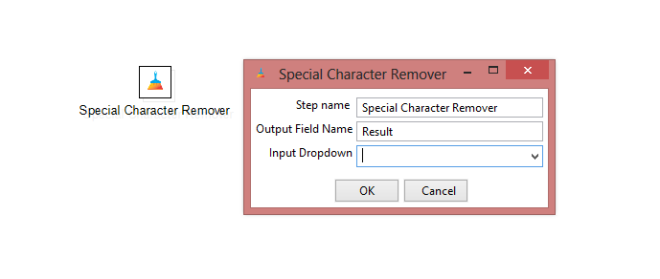
Special Character Remover is one such pentaho kettle plugin which aims at solving the above issue.
Latest Version of the Plugin: Please follow version 1.1.0 for new features and bug fixes.
How does it work?
- Create a transformation (ktr) and pull the “Special Character Remover” step from the “Experimental” tab in the Design section. The same as you do for the rest of the files.
- Connect an input stream to the step like here. I have used “Data Grid” as an input for the demonstration purpose. You can use any of the input steps in here.
- Open the Step Dialog box, and select the field which you want to clean the data of.
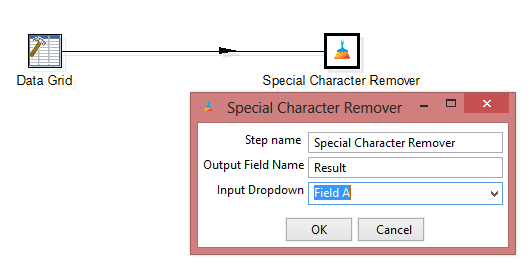
In the image above, my input stream is sending me “Field A”.
4. And its done. Simply output it to your table, flat files etc. and hence you get the cleaned data as below image:

I have only cleaned the ‘Field A’ data which is being stored in the ‘Result’ Column. For cleaning ‘Field B’, as per the version 1.0.0 release, you need to add one more step and select the field B like the image here. The output for the multiple steps will be something like this.
What is it doing?
As per the version 1.0.0, Special Character Remover read your input stream data based on your field you have selected. The plugin code runs a regex expression on the input data and removes any character coming outside A-Z, a-z, 0-9 and white spaces.
Where is the plugin source code/JAR?

Subscribe to continue reading
Subscribe to get access to the rest of this post and other subscriber-only content.
 Tech Spaghetti
7 responses to “Special Character Remover | Clean your data of special characters | Pentaho Kettle Step Plugin”